To test if your printer driver was setup properly:
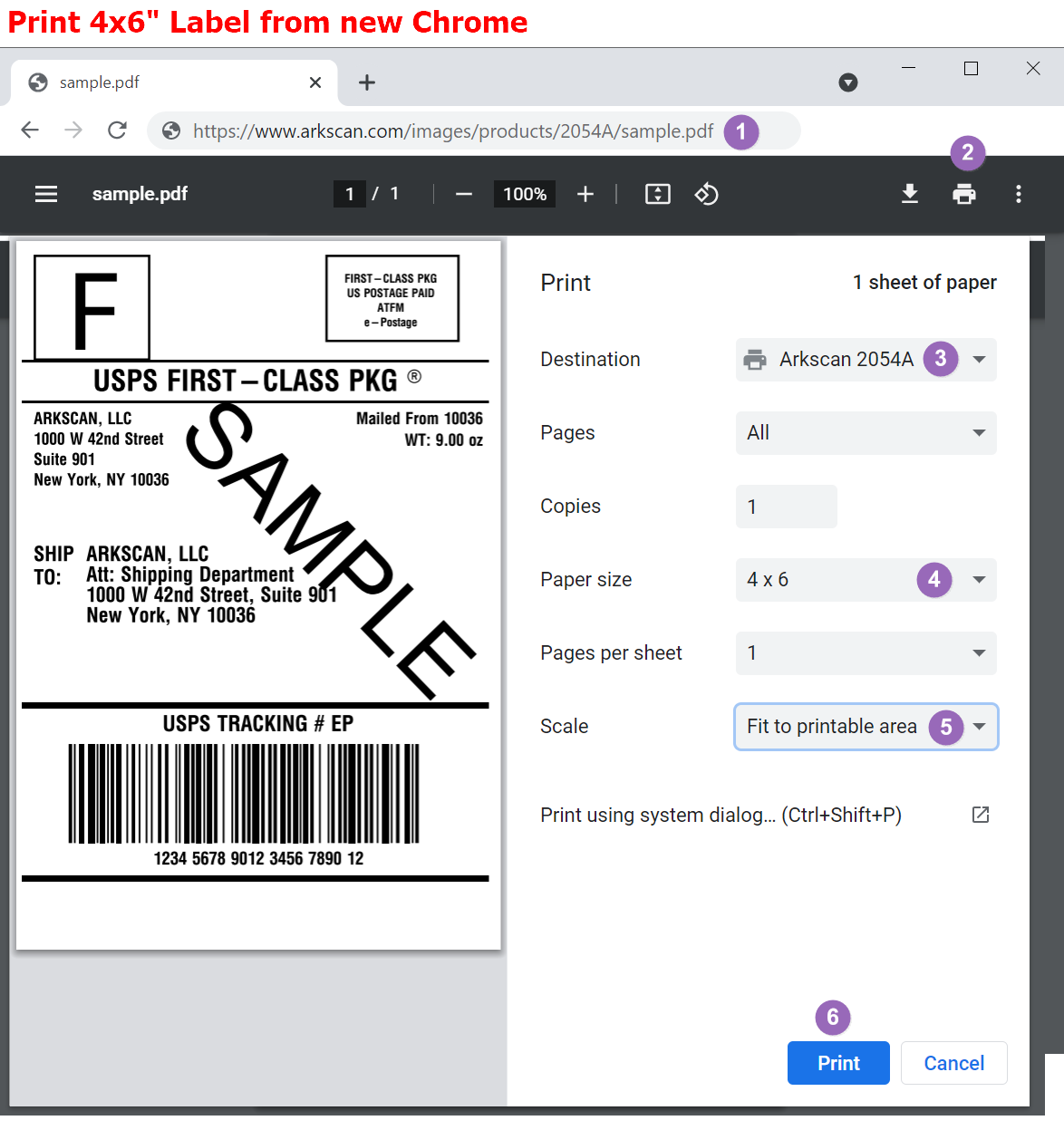
- Go to this website to print our sample 4 x 6 shipping label.
- Click the print icon on the top left corner of the sample shipping label.
- In the print preview, make sure to select your Arkscan printer as the destination you want to print to.
- If the paper size is not set to 4 x 6, please set it to 4 x 6.
- If the scale is set to "Default," please change the scale setting to "Fit to printable area."
- Verify that all the settings are correct and then press "Print."